
MubLoop
A downloadable tool for Windows
Load a file, select a region, adjust the sliders, and export. If the source audio has unwanted parts, Cut Mode lets you trim them before processing.
I hope you find it useful!
And thank you to everyone who has supported this project! ♡
MODES
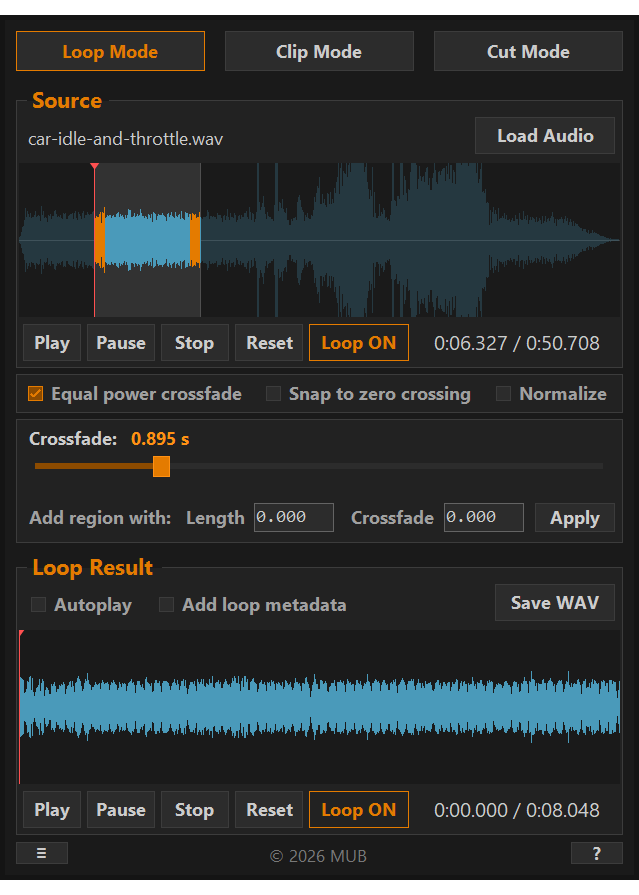
LOOP MODE - Creates a seamless crossfade loop from an audio file or a selected region. Adjust crossfade length, choose between smoothstep and equal power curves, snap to zero crossing, and optionally embed loop metadata for game engines.
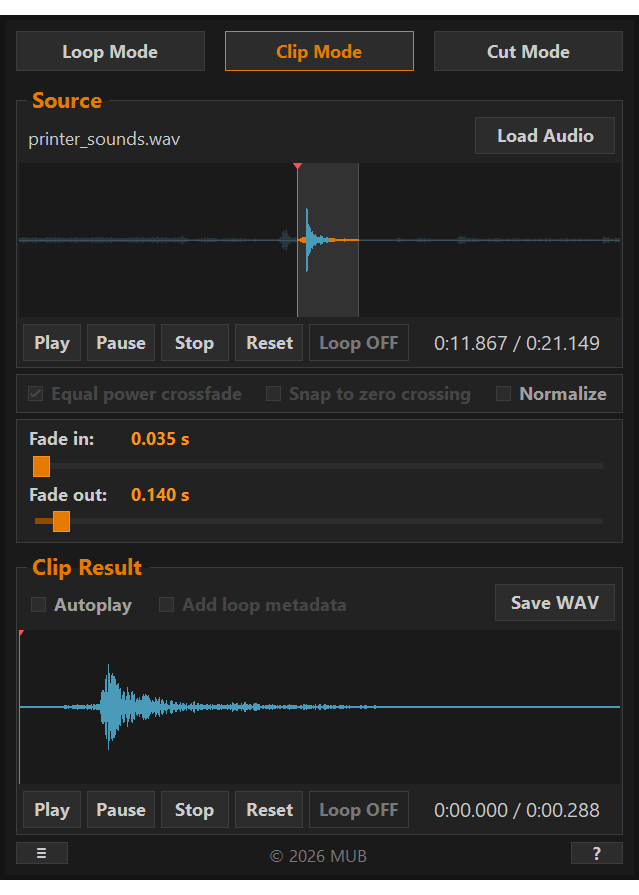
CLIP MODE - Exports a clean audio clip with optional fade in and fade out. Useful for extracting a specific region from a longer recording.
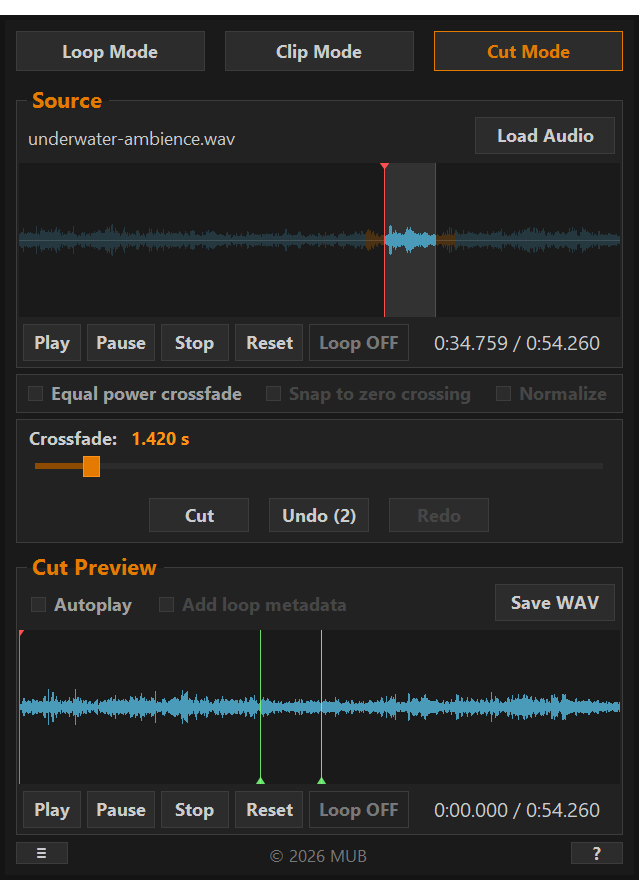
CUT MODE - Removes unwanted regions from audio with a crossfade baked at the seam. Cut, preview, undo if needed - then switch to Loop or Clip Mode to process the trimmed result.
FEATURES
- Supported import file types: WAV, OGG, MP3, AIFF, M4A.
- Export as WAV.
- Source waveform zoom, pan, and reset.
- Output normalization.
- Drag and drop support.
- Mouse wheel to fine-adjust sliders.
- Keyboard shortcuts (see About dialog in app).
- Remember last used settings.
- Customize export filenames.
Note: Imported audio file length is limited to 10 minutes maximum. This is to keep memory usage reasonable, due to the way audio is loaded into memory.
LICENSE
CREDITS
Built with NAudio by Mark Heath.
REQUIREMENTS
- Windows 10 or later (64-bit)
- Linux: Not supported, but reported to work with Wine.
Download
Click download now to get access to the following files:
Development log
- MubLoop v1.4.1 released - M4A Import79 days ago
- MubLoop v1.4 released - new Settings window, MubLoop+ launched87 days ago
- MubLoop v1.3 released - Added Cut modeMay 25, 2026
- MubLoop v1.2 released - Added waveform zoomingMay 11, 2026
- MubLoop v1.1 released - Added Clip modeMay 09, 2026
Comments
Log in with itch.io to leave a comment.
U R my God!
Really good stuff, I've used this a couple times and I quite like it.
This tool came in so handy for quickly cutting and looping audio for the GMTK Game Jam! I also realised you released m4a support not too long ago, just in time really, since I was transferring recordings from my iPhone.
Thanks for putting together this lightweight and useful tool!
Thanks so much, really glad it helped for the jam! :)
hey awesome tool!, is it available to use on audiosuite or as a vst?
Thank you! No it’s just a standalone tool.
Fantastic tool. All of the large audio editing packages appear to be missing looping like this.
Thanks! Yes, usually it requires at least some manual work in other editors.
Is it possible to pick specific timestamps or sample numbers to set loop points? Like if I wanted the loop to start at exactly
0:03.535and end at exactly1:18.953. Or if I wanted it to start at sample600and end at sample900. Is that possible in this tool?Hi, not currently. But that would be nice feature to have, I’ll try to add that in the later updates.
I’m now making MubLoop+ with effects and batch tool (to process multiple files). And tackling with limited UI space, but I think I can fit those timestamps somewhere.
Any chance for export and or import your software could support QOA (Quite Okay Audio) it is a very easy to integrate CODEC and it might be usefull for games and other devices.
I mainly use Godot and there QOA is just an internal compression format in Import settings. So you import a WAV and select it. I think there is no point handling that beforehand, though I don’t know about other use cases.
never added a new program to my taskbar this fast
Nice to hear that it made it to the top spot! :)
Linux support would be great!
Awesome tool brother. Waiting for linux version
Adding my voice to ask for Linux support. Looks super cool!
Thanks, noted!
就是这样,简单!高效!
Glad you like it!
Awesome tool! It would be great to add other export formats like OGG, MP3, and FLAC, since they are commonly used in games.
But I repeat, it's a beautiful job 11/10.
Thank you! I tested OGG export in an earlier version, but couldn’t make it work properly for seamless loops, the encoder adds padding which can cause clicks at the loop point. I decided to keep only WAV since it’s lossless and works reliably. MP3 has the same issue.
EDIT: But you can convert to other formats with different tools, it might work better that way.
Ah, okay. Yes, I know about MP3 and Ogg, so if you had a solution for that too, that would be massive. Cheers!
would be nice to have a function to resize the the app .. i´m running 4k screens .. and the app window is tiny
I need to add UI scaling option to my todo list. You can work around this for now by right-clicking MubLoop.exe, going to Properties -> Compatibility -> Change high DPI settings, and setting ”Override high DPI scaling behavior” to System. The app will scale up, though it may look slightly blurry.
Morning, that was a quick response. Tx a lot, I'll take a look later.
that worked ... thank you very much ... but now the next problem ... Is there a possibility of changing the audio engine? I am hearing a lot of artifacts with your app, and I use normally a ASIO audio driver.
It currently uses WaveOut which can conflict with ASIO drivers. There is no device selection yet. As a workaround, try temporarily switching your default Windows playback device.
nice ty!
what is the license btw? and is there a github page?
Thank you! I’ve now added the license info to the description.
very good
Why is it closed source?
I came here from gamescratch youtube video, I hope this will help me
I hope so too! :)
Lovely. I was just about to code a tool myself that does exactly this! Thanks 👍
Thanks a lot! :) That's just how this project started, I struggled with it myself and couldn't find anything that did it simply enough.
Is Linux support planned?
I'll consider it later, as it would require some work. For now, someone reported it works with Wine, worth trying out!
Small request! It'd be great if we could set the exact length of the loop. I want to use this to create game assets and it'd be best if all results were the exact same length
Great suggestion! I’ll add that in the next update.
this is so cool! i wonder how hard it would be to add a feature that can trim out pieces of a recording that you dont like, and smoothly blend the cut? quite a few longer ambient audio files have random ugly parts in them that are awkward to remove.
Thanks for feedback! That’s actually nice feature suggestion, I need to write it down.. *grabs random piece of paper*
any idea for a Mac version?
Good question! That would require same UI rework as Linux build. But I’ll keep that in mind for future plans too.
thank you that would be awesome!
I've shared this on my socials after testing myself, it's super great and will for sure be a part of my standard toolset from now on!
Thank you for sharing! It helped so many people find this, and seeing the response has been really exciting!
+1 to that - Only because of Kenney did I meet this. Looks awesome :]
If you can, please make a linux version.
Thanks for asking. Native Linux build would require rewriting the UI framework, so I'm not currently planning to do that. But I keep that in mind in the future versions!
Any plan for a linux build? :p
No Linux build planned currently as it would require UI rewrite, but I'll keep the demand in mind!
wooow
<3