
MubLoop+
A downloadable tool for Windows
MubLoop+ extends the free version, with a wide range of chainable effects, sound generators, and a batch tool for processing multiple audio files at once.
MODES
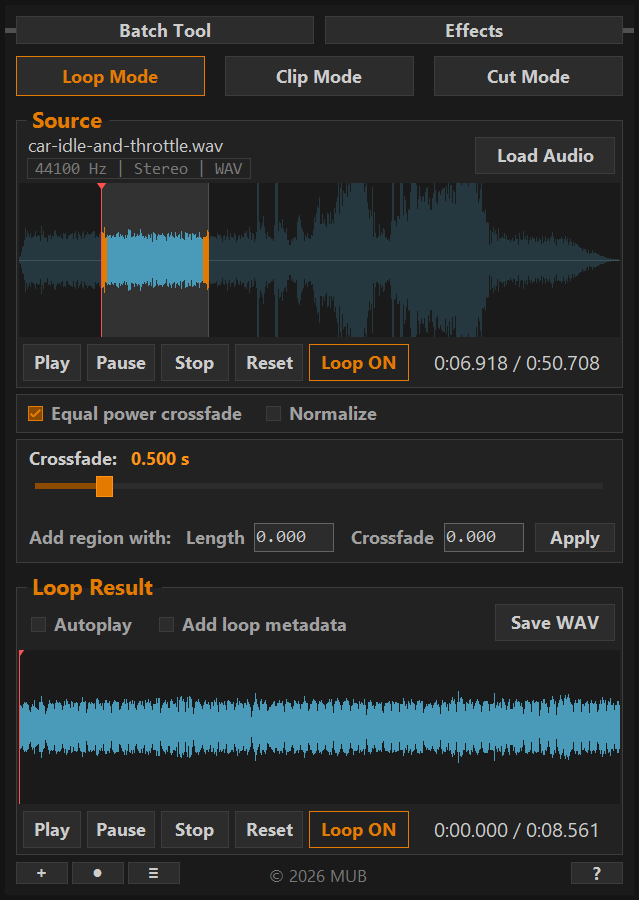
LOOP MODE - Creates a seamless crossfade loop from an audio file or a selected region. Adjust crossfade length, choose between smoothstep and equal power curves, and optionally embed loop metadata for game engines.
CLIP MODE - Exports a clean audio clip with optional fade in and fade out. Useful for extracting a specific region from a longer recording.
CUT MODE - Removes unwanted regions from audio with a crossfade baked at the seam. Cut, preview, undo if needed - then switch to Loop or Clip Mode to process the trimmed result.
RECORD
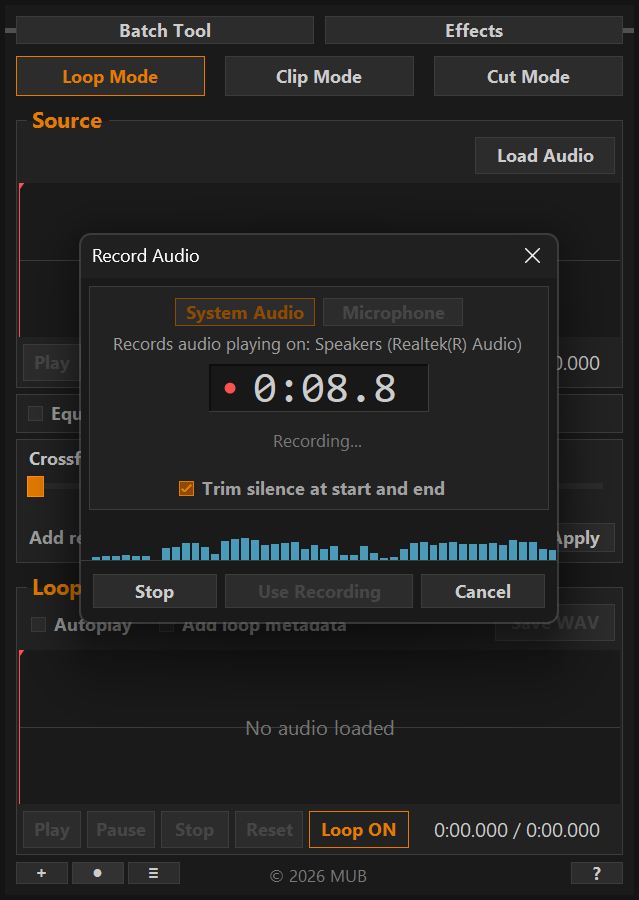
Record audio straight into MubLoop+, then loop, clip, cut or process it with effects like any other file.
SYSTEM AUDIO - Records anything playing on your PC. Capture sounds from synths, browser SFX generators, or your own game.
MICROPHONE - Records from your mic or audio interface, saved as mono. For foley, voice and quick sound ideas.
Includes a live level meter and optional trimming of silence at the start and end. Mic recordings can be cleaned up with Noise Reduction, using a noise profile taken from your own recording.
EFFECTS
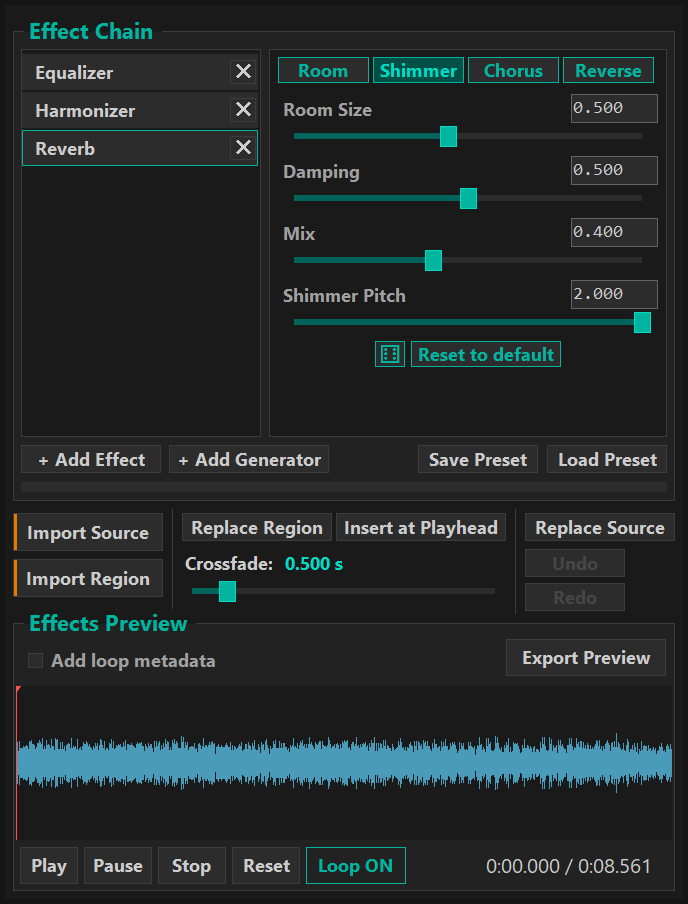
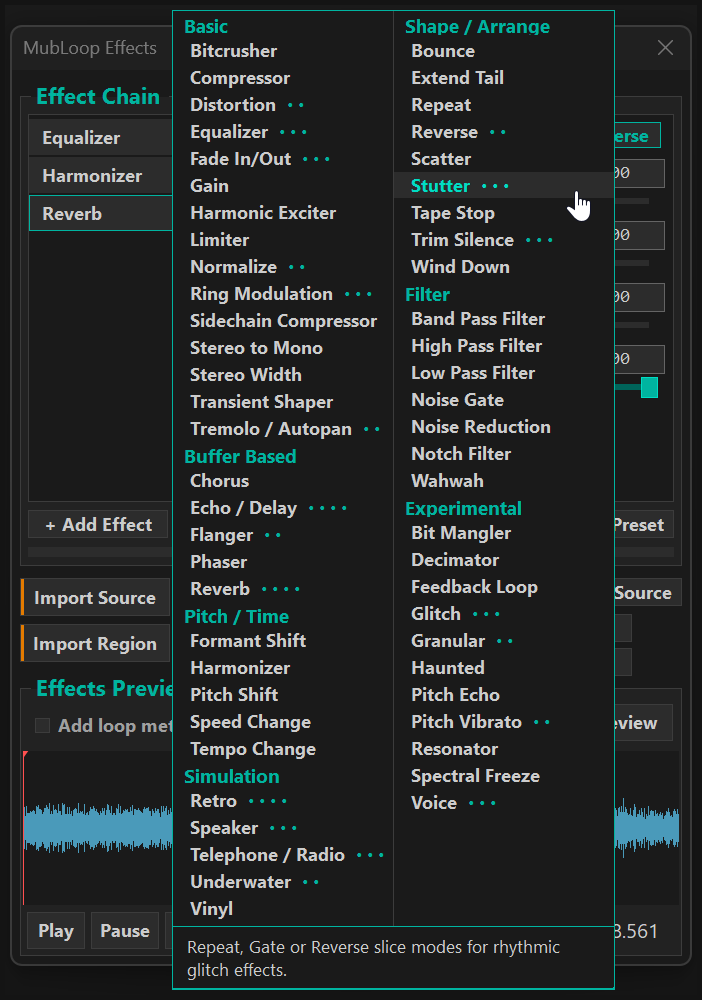
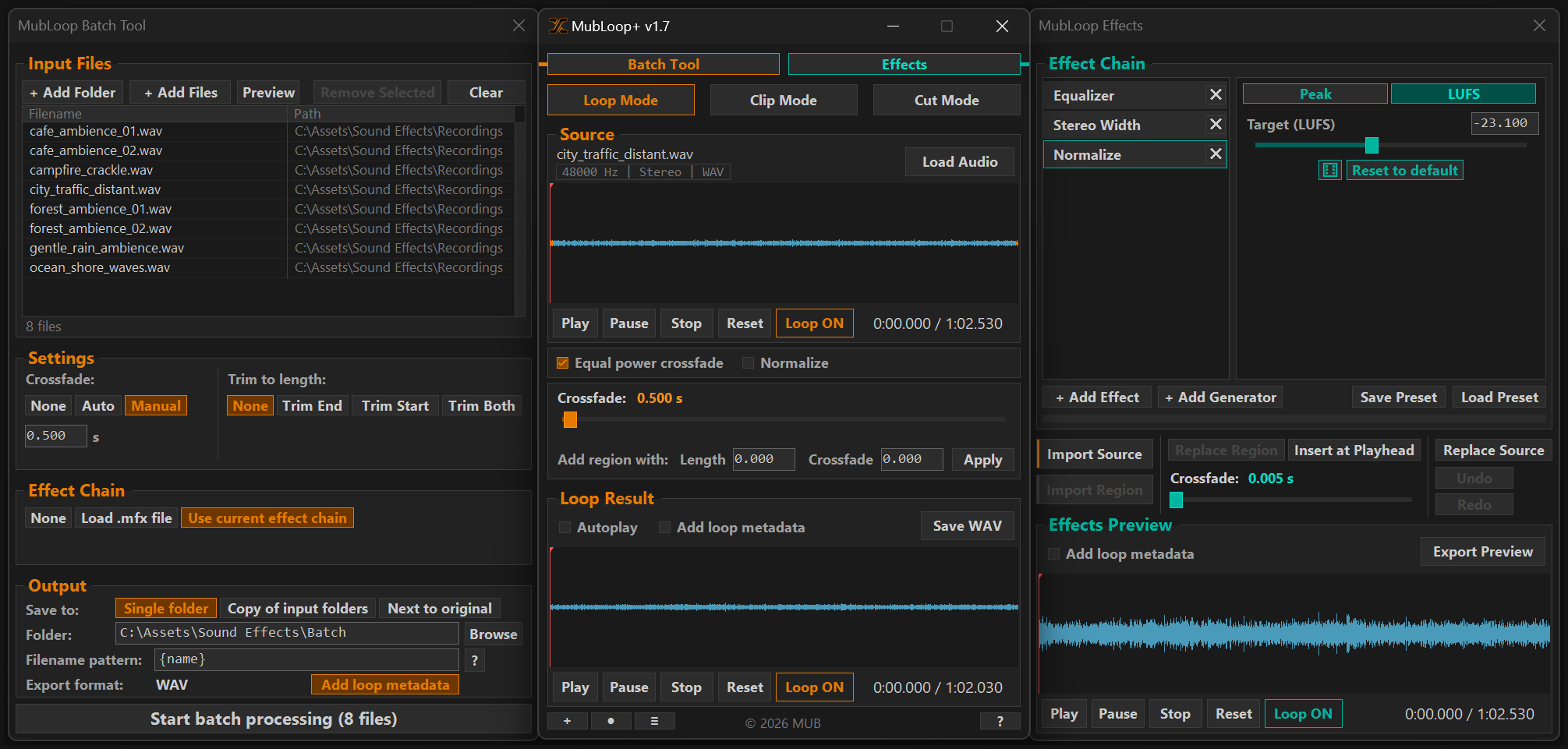
A wide range of effects across Basic, Buffer Based, Simulation, Pitch / Time, Filter, Shape / Arrange and Experimental categories, including noise reduction with automatic or selected noise profiles, parametric EQ and LUFS normalization.
Stack and reorder effects in a chain and preview changes live. Work on the whole file or just a region, then put the result back where you want it, with a crossfade at the edges.
- Chain up to 10 effects at once.
- Save and load effect chains as presets.
- Undo and Redo for edits sent back to the main window.
SOUND GENERATORS
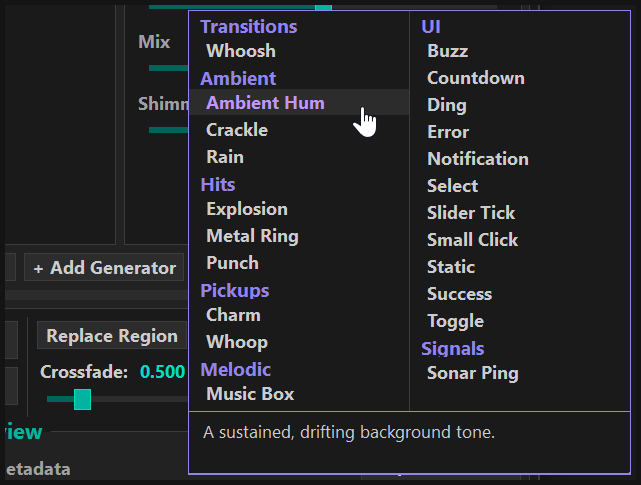
Create sounds from scratch using the built-in generators, from UI feedback and impact hits to a random-melody music box. Shape the result with the same effect chain used on any loaded file.
- Start from an empty sample of any length, or add a generator straight into an existing chain.
- Each generator has its own set of parameters, with common controls like length, blend, and position.
- Randomize to quickly explore different sounds.
- Save generated sounds as presets, same as any other effect chain.
BATCH TOOL
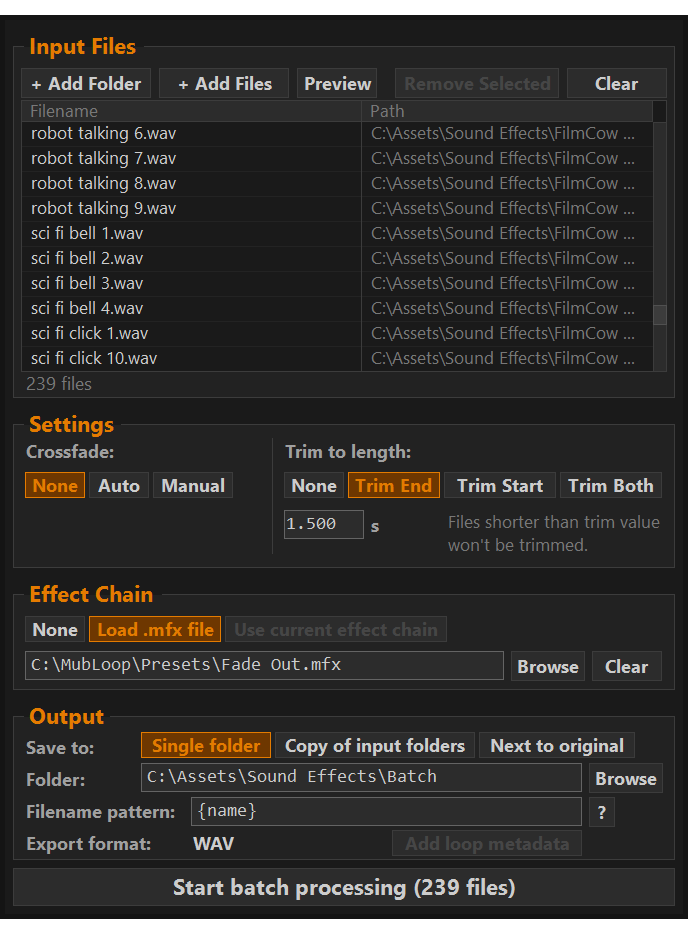
Drag in a folder, including subfolders, and apply the same trim, crossfade, and effects to every file in one run. Preview the result before processing, and choose how files are saved.
- Trim to exact length: from end, start, or middle.
- Crossfade: automatic or manual length.
- Output: single folder, copy of input folders, or next to originals.
- Filename patterns for batch output.
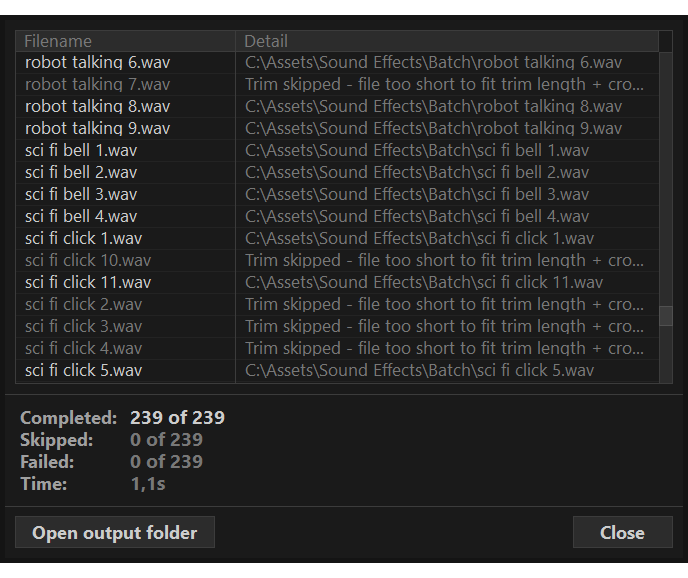
- Existing files are never overwritten, they're skipped and reported.
- Clear, color-coded results after every batch run.
FEATURES
- Supported import file types: WAV, OGG, MP3, AIFF, M4A.
- Record system audio or a microphone.
- Export as WAV.
- Source waveform zoom, pan, and reset.
- Output normalization.
- Drag and drop support.
- Mouse wheel to fine-adjust sliders.
- Keyboard shortcuts (see About dialog in app).
- Remember last used settings.
- Customize export filenames.
Note: Imported audio and recordings are limited to 10 minutes maximum. This is to keep memory usage reasonable, due to the way audio is loaded into memory.
LICENSE
CREDITS
Built with NAudio by Mark Heath and SoundTouch.Net by Olaf Woudenberg, based on the original SoundTouch library by Olli Parviainen.
REQUIREMENTS
- Windows 10 or later (64-bit)
Purchase
In order to download this tool you must purchase it at or above the minimum price of $15 USD. You will get access to the following files:
Development log
- MubLoop+ v1.7 released - Record Audio & Noise Reduction modes1 day ago
- MubLoop+ v1.6 released - Effects window and playback improvements10 days ago
- MubLoop+ 1.5.1 released - More sound generators43 days ago
- MubLoop+ 1.5 released - Generators77 days ago
- MubLoop+ 1.4.3 released - Effect fixes and improvementsJul 07, 2026
- MubLoop+ 1.4.2 released - Noise Reduction and M4A ImportJul 03, 2026
- MubLoop+ 1.4.1 released - new EQ, LUFS normalization, and fixesJun 27, 2026
Comments
Log in with itch.io to leave a comment.
holy, i didn't know there was a paid version of this. bought it instantly. great job on making such an intuitive program! so lightweight and does exactly what i need it to do. :>
Thanks a lot! :) There is also a new update coming quite soon.
This is an amazing tool. I love how clean, focused and intuitive the UI is, and the new effects chain and batch processing is fantastic.
Thank you, really glad it’s working well for you! :)